Before this class
Coming into this class, I had almost no experience with HCI courses or done anything related to design, so I was honestly terrified. I’ve been wanting to branch out into different areas of CS because I’m not the happiest with my current CS concentration (AI 😞). The one HCI adjacent course I’ve taken (CS 193X) has been the best class I’ve taken at Stanford, so I figured I should try some HCI classes out. I wasn’t able to take CS 147 in the fall because of scheduling conflicts, so when a couple of friends asked me to take this class with them, I decided this was the perfect time to try HCI.
There were many times in the first 3 weeks where I was doubting my decision and was considering dropping the class because of my lack of experience, but I’m glad I stuck through with it because this is now also one of the best classes I’ve taken.
My experience
What I liked
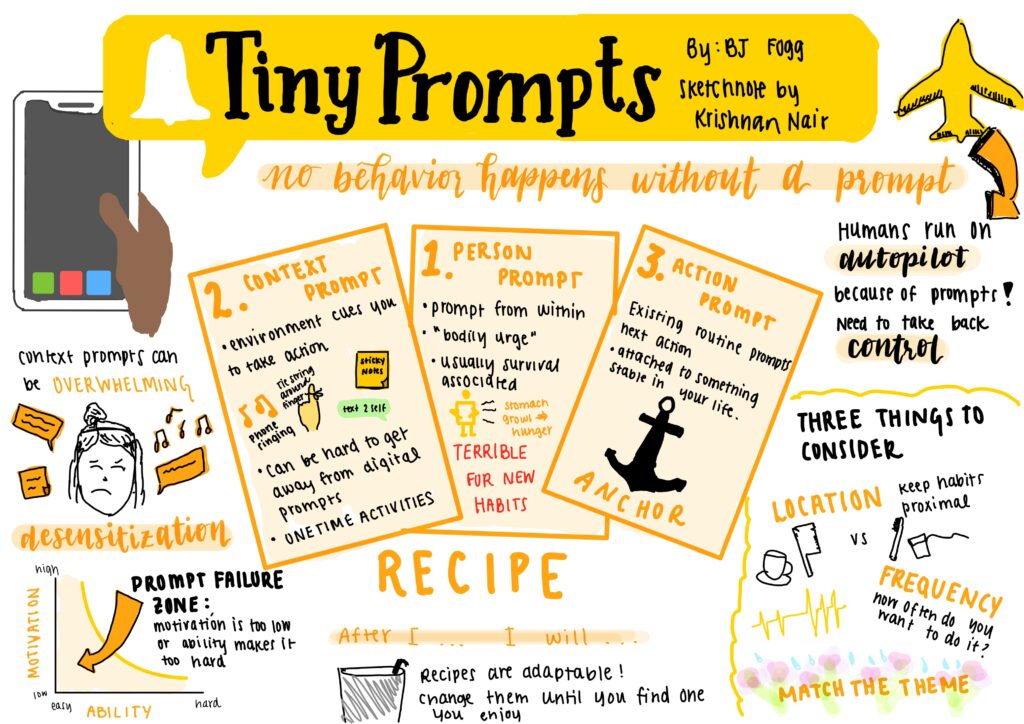
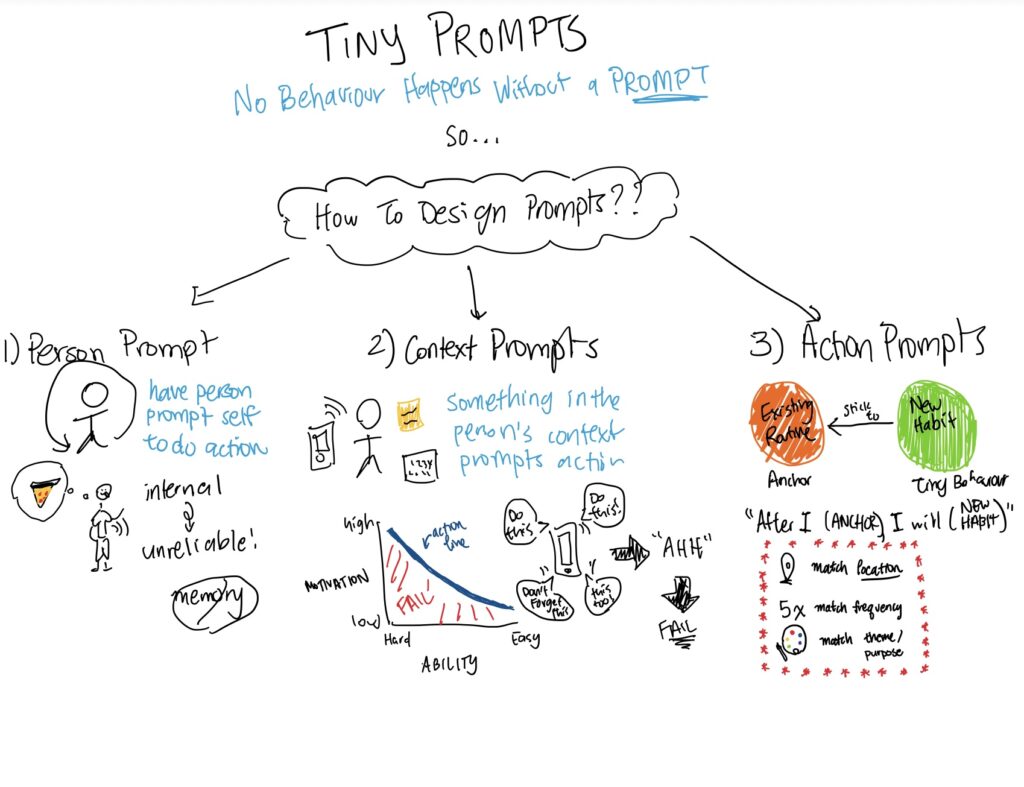
Of the tools and methods we learned in this class, one I surprisingly loved was sketchnoting. When I first heard about them in class, I was worried because I don’t consider myself a very artistic person and didn’t think they would be very useful for me. Although they took a while to get used to, they’re the most effective note-taking method I’ve ever used and it was incredible seeing how much information I retained through this method. It’s slowly becoming my favorite note taking method, and I’m definitely going to continue using it in the future!

I was also surprised by how much I enjoy UI/UX design and Figma. The most UI/UX design I had done before was creating a website for the final project of CS 193X, which I found fun, but didn’t think it was something I wanted to keep doing. The second half of this class made me realize how much I really enjoy UI/UX design and prototyping though, and I think it could actually be something I continue pursuing in the future (though I still need a lot of practice for sure haha).
What I didn’t like as much
I enjoyed most of the tools and methods we used in this class, but there were also some I didn’t enjoy. One method I didn’t really enjoy learning about or find useful was sketchy screens. Though I understand the use for them, they felt redundant after creating the wireflows and didn’t feel necessary for creating an initial prototype. It makes more sense to me to go straight from wireflows to Figma prototyping, as it’s not hard to go through the sketchy screens process in Figma itself.
Ethics
Nudging & Manipulation
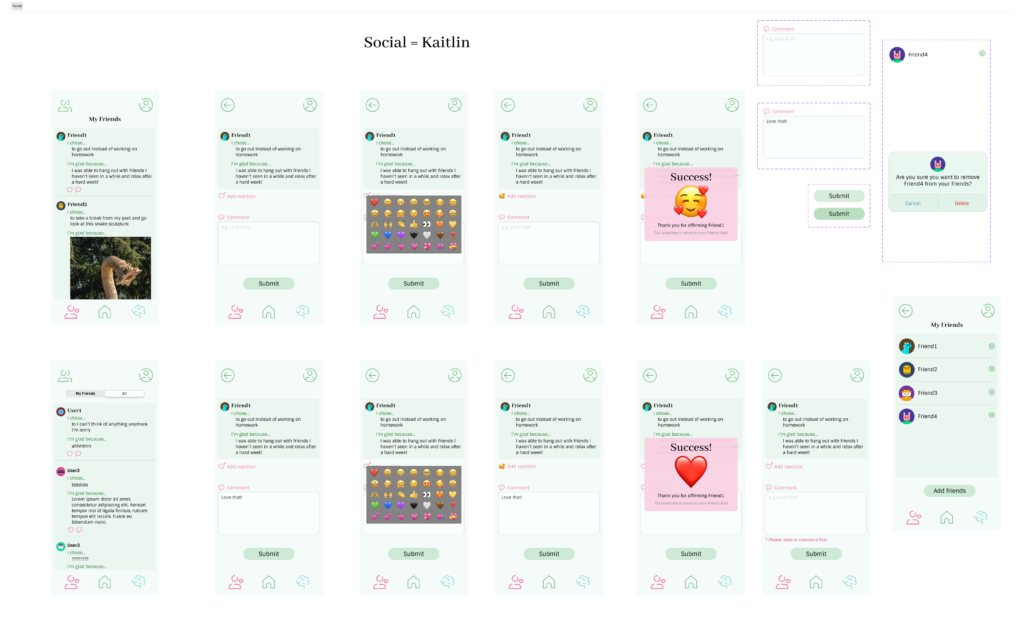
One ethical consideration our project dealt with was nudging and manipulation. Our project aims to discourage a negative emotion—regret—in users by only providing positive reflection prompts (e.g. I chose… I’m glad because…). All social reactions are also “positive” emojis, and our team was discussing how if we were to continue building this out, we would add moderation to the app so only positive comments can be posted to others’ reflections. These are much more intentional than nudges, but we thought they would be acceptable because our research showed the benefits of positive reflection over regular reflection.
I do, however, see problems with this approach. For times when people make objectively bad decisions, they could use our app to escape from the reality of their situation and convince themselves that they made the right choice. It could also condition people to only think about the positive side of decisions, which can be harmful when making decisions.
Privacy
Another ethical consideration of our project was privacy, especially since we decided to add a social component to our solution. With regards to social privacy, we currently protect user privacy by allowing them to set the default visibility of their posts in the profiles/settings page (either share to friends or privately), and for each post we also allow them to post it privately regardless of their default setting. This might start becoming a problem though if people add users they don’t know as friends and those users aim to use their data maliciously. I’m not sure how this development can be completely avoided without removing the social component, but adding warnings about adding people you don’t know when accepting friend requests could help users be more aware of the dangers.
When it comes to protecting user data from external actors, our team was talking about how we would encrypt users’ data and store it in a third party database. Since our team would probably never have a reason to need access to user data, this would help users rest assured that we are not using their data for our benefit. The encryption also adds a layer of security so that if an external actor tries to access it maliciously, they are not able to read the data.
Looking forward
After this class, I’ve found that the design process is not as intimidating as I once thought and that my design skills are thankfully not as bad as I thought. While I still feel iffy about my skills, I think it’s something I really enjoy and want to continue learning about in other HCI classes. I also didn’t think that designing for behavior change would be such a hard field to tackle, so this class helped me gain a new appreciation for it.
In the future when I am faced with the challenge of designing for something from scratch, I’ll be able to use the methods I’ve learned in this class to be more confident in my design skills. I also won’t be discouraged when something isn’t working out, as I’ve learned that design is a process and it takes much iteration to get to the right solution.