
- Competitor #1: Howbout
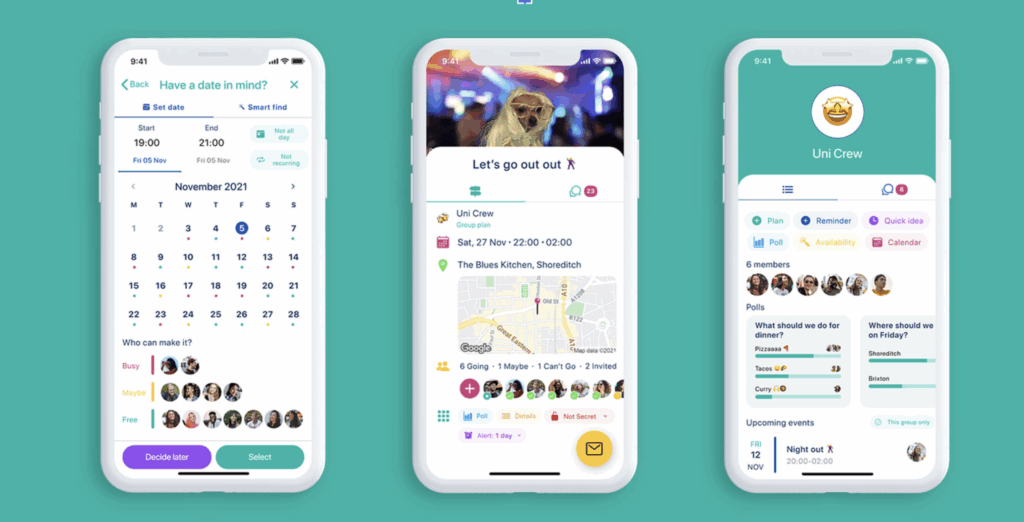
- Description: Howbout is a shared calendar app for social planning. Offering integrations with Apple, Google, and Outlook calendars, it streamlines the logistical details of scheduling and invites.
- Target audience: Young adults with vibrant social lives. The app seems more geared towards users with integrated friend groups, rather than several siloed friends.
Unique features:
- Friend availability allows you to directly check when friends are free and schedule plans accordingly.
- Event specific-chats enable users to hold conversations dedicated to event planning and organization outside of their typical messaging channels to prevent clutter.
Market need
- Most calendar products are highly individual, so scheduling largely occurs outside of these products, creating friction
- Planning events requires lots of context switching: calendars, messaging, back and forth communication, etc.
- Making social plans can be mentally and emotionally challenging; Howbout lowers these stakes
- Competitor #2: Google Calendar
 Description: Google calendar is an all-purpose calendar app that is accessible to any Google workspace users. Useful for personal and interpersonal scheduling, Google calendar offers recurring event scheduling, shared and synced calendars, and tasks integrations.
Target audience: Google workspace users who plan some aspects of their lives digitally.
Unique features:
- Automatic event adding from Gmail confirmation emails (flights, reservations, tickets, etc.)
- Comprehensive event details, which can include Google Meet links, Google Drive attachments, location, and guests)
Market need
- Aesthetic appeal and flexible views (day, month, year, etc.)
- Offers cross platform compatibility for users with non-Apple or mixed device ecosystems; particularly useful to those who use Google accounts for work or school
- Competitor #3: Notion
 Description
- target audience
- Knowledge workers, creatives, and professionals (ages 25-45)
- Students and academics managing coursework, research, and project timelines
- Power users comfortable with customization who want to build their own systems
- unique features
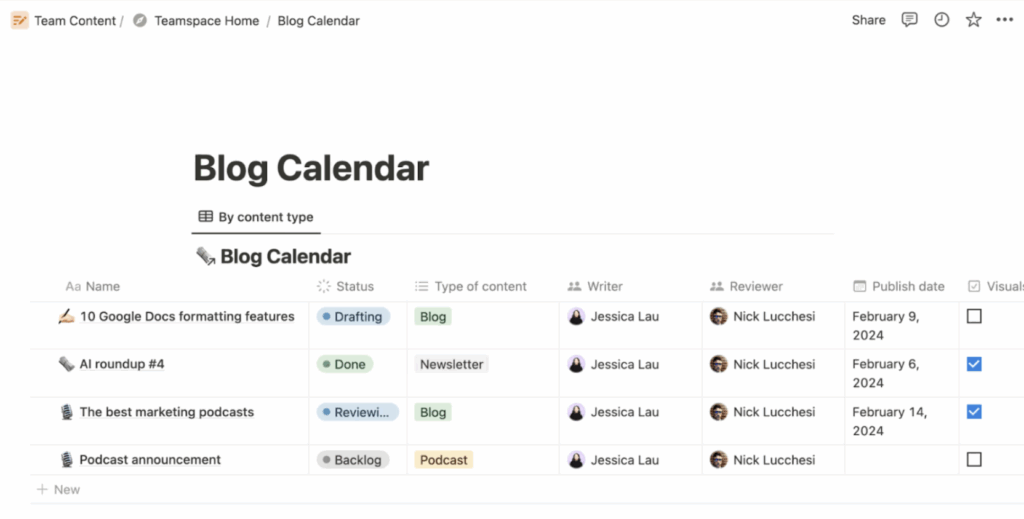
- All-in-one workspace that combines notes, databases, wikis, and calendars in a single platform
- Database calendar views that transform any database into a calendar, allowing users to view tasks, projects, and events with rich metadata (tags, assignments, status, etc.)
- Multiple calendar views within the same workspace, filterable by different properties
- Embeds and integrations that allow external calendars (Google Calendar) to be embedded alongside Notion’s native planning tools
- market need it fulfills
- Addresses the fragmentation of productivity tools by consolidating scheduling, note-taking, task management, and documentation
- Serves users who need context around their schedule—not just when things happen, but why, what’s involved, and how it connects to larger projects
- Provides a solution for teams wanting shared visibility into schedules without requiring separate calendar and project management subscriptions
- Strengths
- Contextual richness: Events can include extensive notes, attachments, checklists, and links to related content all in one place
- Flexible organization: Users can create multiple calendar views filtered by project, priority, team member, or any custom property
- Cross-functional visibility: Schedule integrates seamlessly with task databases, project timelines, and meeting notes
- Customizable reminders: Can set up automated reminders and notifications based on database properties
- Collaboration features: Shared calendars with commenting, @mentions, and real-time editing for team coordination
- Weaknesses
- No native time-blocking: Cannot easily create recurring events with specific times, block out availability, or manage time slots throughout the day
- Limited mobile calendar experience: Mobile app is slower and less intuitive for quick calendar checks compared to dedicated calendar apps
- No scheduling features: Lacks built-in meeting scheduling, availability sharing, or calendar invite functionality
- Steeper learning curve: Requires significant setup time and understanding of databases to create effective calendar systems
- Notification reliability: Push notifications are less reliable than dedicated calendar apps, potentially causing missed events
- target audience
- Competitor #4: Partiful
 target audience
- Gen Z and younger Millennials (ages 18-35) who are digitally native and socially active
- College students and recent graduates organizing parties, gatherings, and social events
- People planning informal to semi-formal social events (not typically corporate or highly professional events)
- unique features
- No account required for guests: Invitees can view and RSVP to events without downloading the app or creating an account
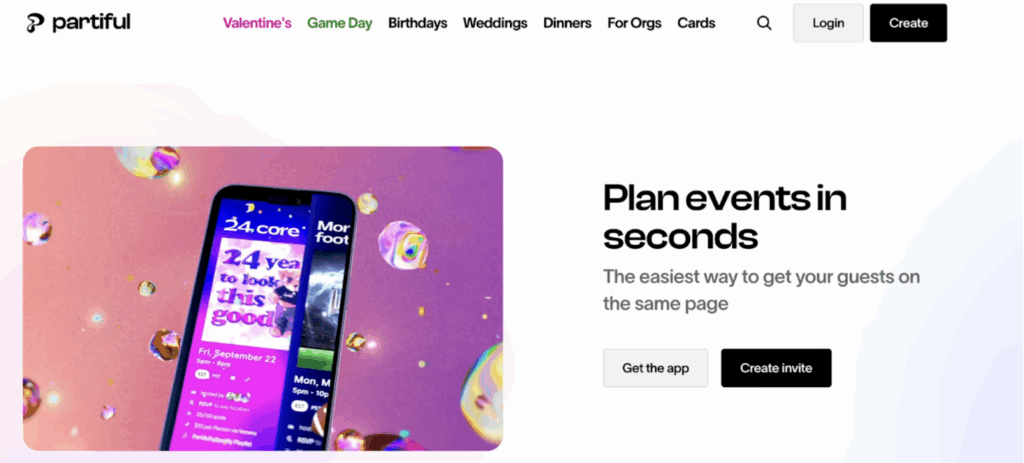
- Mobile-first, chat-like interface: Designed specifically for smartphone use with a casual, social media-inspired aesthetic
- Event feed and discovery: Users can see upcoming events they’re invited to and discover public events in their area
- Photo and memory sharing: Built-in photo albums for each event where attendees can share pictures during and after gatherings
- Automated reminders and updates: Smart notifications about event changes, new RSVPs, and event day reminders
- market need it fulfills
- Solves the friction of traditional invitation platforms (Evite, Paperless Post) that feel too formal or outdated for casual gatherings
- Meets the desire for event planning tools that feel native to mobile and aligned with current social media aesthetics
- Strengths
- Centralized social calendar: All invited events appear in one feed, making it easy to see upcoming social commitments at a glance
- Real-time updates: Automatic notifications when event details change, new people RSVP, or hosts send messages
- RSVP visibility: Clear view of who’s attending, who declined, and who hasn’t responded yet
- Mobile-optimized: Quick, thumb-friendly access to event details perfect for checking plans on the go
- weaknesses
- No calendar integration: Doesn’t sync with Google Calendar, Apple Calendar, or other calendar apps where users track all commitments
- Limited recurring event support: Not built for regular schedules or repeating commitments
- Invitation-dependent: Only tracks events you’re invited to or create—can’t add personal appointments or reminders
- Informal nature: The casual aesthetic and features may not suit users who want professional event tracking
- Competitor #5: When2Meet
 Description — When2meet is a web tool aimed at reducing back-and-forth messages and friction between individuals finding a time to schedule a meeting.
-
- Target Audience
- Gen Z and younger Millennials (ages 18-35) who are scheduling events with classmates, friends, colleagues, and family members.
- Target Audience
-
- Competitor #6: LunaTask

-
-
-
- Description — Lunatask is an all-in-one to-do list, habit tracker, journaling, life-tracking and notes app that aims to reduce cognitive load and improve mental well-being.
- Target Audience
- Gen Z and younger Millennials (ages 18-35) who are digitally native, socially active, and intentional with their time—equal focus on neurodivergent users (ADHD-friendly) who are easily distracted and prefer to keep their tasks in one location.
- Target Audience
- Description — Lunatask is an all-in-one to-do list, habit tracker, journaling, life-tracking and notes app that aims to reduce cognitive load and improve mental well-being.
-
-
- Competitor #7: Apple Invites
 Description
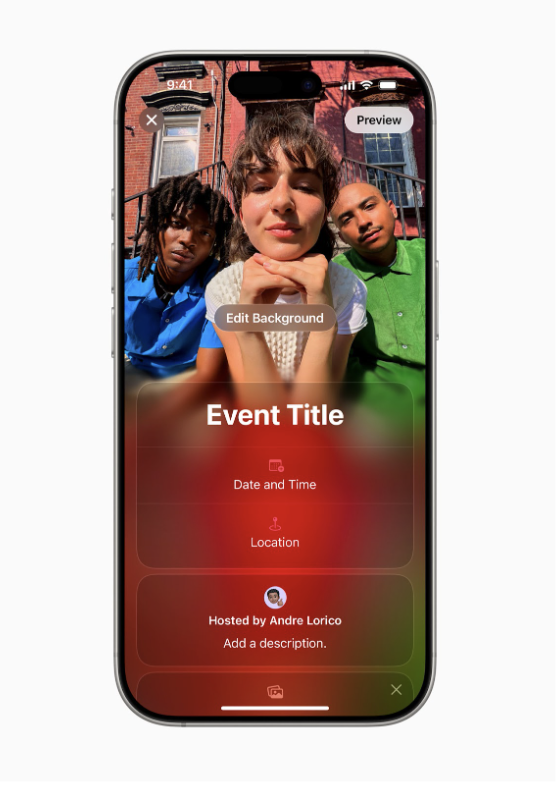
Apple Invites is Apple’s event invitation app for creating, sharing, and managing invites and RSVPs on iPhone, with a web RSVP flow available on any device.Target audience
- iPhone users already in Apple’s ecosystem (Contacts, Photos, iCloud, Apple Music).
- People hosting personal events: birthdays, housewarmings, reunions, casual gatherings.
- Hosts who care about aesthetic invites and a lightweight RSVP experience for guests (including non-Apple users).
Unique features
- Link-based invites and web RSVP, guests can RSVP without an Apple Account.
- Shared Albums inside each invite so attendees can contribute photos and videos.
- Apple Music collaborative playlists attached to the event (for Apple Music subscribers).
- Maps + Weather integrations for directions and day-of forecast.
- Apple Intelligence support: Image Playground for invite images and Writing Tools for wording (on supported devices).
Market need it fulfills
- A modern, Apple-native way to create “pretty” invites and track RSVPs without the clunkiness of older invitation sites, while still being shareable to anyone via a link.
- Turns the invite into a lightweight “event hub” with media and a soundtrack, not just logistics.
Strengths
- Extremely low friction for guests (web RSVP, no Apple Account required).
- Tight integrations (Photos, Maps, Weather, Apple Music) make invites feel premium and cohesive.
- Strong for one-off social events where vibes and visuals matter as much as the time and place.
Weaknesses
- Host-side paywall: only iCloud+ subscribers can create invitations.
- Oriented around single events, not ongoing commitments (weekly plans, recurring rituals, long-running friend groups).
- Not designed to reduce “flake behavior” beyond RSVP tracking (no deeper accountability mechanics by default).
Addressing gaps
- Go beyond “RSVP” into follow-through: commitment prompts, confirmation loops, day-of accountability, and lightweight “are you still in?” flows.
- Cross-event continuity: carry context across repeated hangs, groups, and routines rather than treating each event as isolated.
- Make it work even when the plan starts as a vague intent (not a formal invite link), then gradually formalize into a commitment.
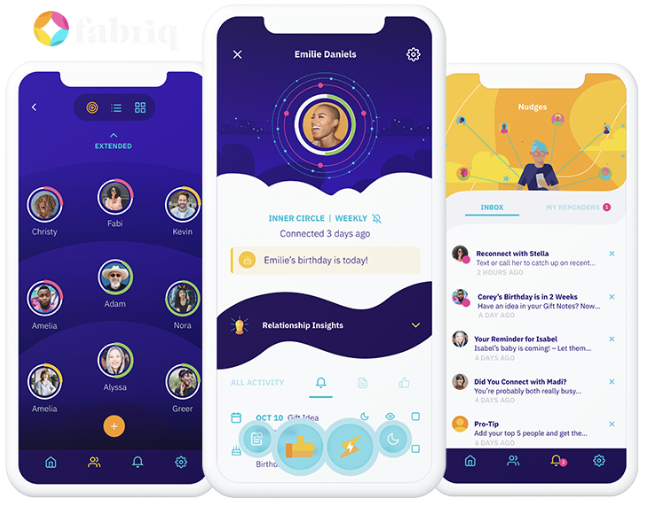 Fabriq
- Description
Fabriq is a relationship tracker and reminders app that helps users prioritize key relationships, track connection frequency/quality, keep notes, and get nudges to reach out.Target audience
- People who are “intentional” about friendships and family but struggle to keep up due to busyness and context switching.
- Students and young professionals trying to maintain many relationships across groups (friends, family, clubs, alumni, long distance).
- Users who like quantified-self style habit tracking, applied to social connection (goals, streaks, touch-base timers).
Unique features
- Circles of closeness and a structured “who matters most” prioritization flow.
- Touch-base timers and recurring notifications based on reconnection goals.
- Notes and reminders tied to people (life events, details, reflections).
- Connection tracking, including quality-over-time framing.
- Daily shortlist and weekly connection calendar to focus attention.
- Conversation starters to reduce “what do I say?” friction.
- Explicitly positioned as not a social network, more like “health tracking for relationships.”
Market need it fulfills
- Helps users prevent relationship drift by making “keeping in touch” an actual system, not a guilty intention.
- Centralizes social memory (notes, last contact, important moments) so users do not rely on scattered texts or mental load.
Strengths
- Strong “intentionality” framing: it solves a real problem people feel but rarely instrument (friendship maintenance).
- Practical mechanics: reminders, shortlists, and notes are straightforward and habit-forming.
- Works even if the other person is not on the app.
Weaknesses
- High activation: users must manually set up people, goals, and notes for it to work well.
- Nudges do not guarantee action: it reminds you to reach out, but does not orchestrate plans or ensure follow-through once you do.
- Can feel “transactional” for some users, especially if they resist tracking relationships like metrics.
- Not purpose-built for coordinating group plans and commitments (time, place, confirmations, flakes).
Addressing gaps
- Bridge the last mile from “remember to reach out” to “plan locked and attended”: scheduling, confirmations, shared accountability, and flake reduction loops.
- Convert relationship intent into concrete commitments, then support follow-through (reminders, coordination, and social friction handling).
- Lower activation by auto-building relationship context from real signals (calendar, messages, recurring patterns) instead of manual entry.
- Description
- Observations
- some products geared towards productivity or overall organization (gcal, notion) while others are primarily social (partiful)
- commitment level: calendars feel high commitment, whereas partiful could be low-mid commitment
Axes

- Social Pressure vs. Individual Motivation
| Low social pressure, high individual motivation | High social pressure, high individual motivation |
| Low social pressure, low individual motivation | High social pressure, low individual motivation |
- insights
- most of the existing products are high on individual motivation but low on social pressure
- there seems to be a tension where products that are high on social pressure are low on individual motivation
- this is likely because many of the platforms with interactive features do not have individual planning features, or because people like to separate their own planning space (personal) from public



