
Team Members: Anjali, Dorien, Ellington, Ji Hong, Karson
| Name | App Name / Link (if applicable) | Short Description |
| Anjali | Flipd (Link)
|
Tracks time on tasks and breaks and stay connected with a community of other users to engage in friendly competition. Also offers free lofi music and public/private groups with different activity tags (#studying, #homework). |
RescueTime (Link)
|
Gives you a daily Focus work goal depending on how “heavily” your calendar is scheduled and gives you time for “Focus” sessions that are periods of intense, focused work and times for multitasking. | |
| Dorien | ||
| Cold Turkey (extension) | It blocks websites or the entire internet from being used and it’s near impossible to unlock it after you’ve set a lock. It has a bunch of neat features like pomodoro blocking, usage limits, and more. | |
| Self Control (Mac Only) | Can do nothing to unblock the apps that you’ve blocked. Restarting computer, deleting app, NOTHING will work. AND it’s free | |
| Ellington | ||
| Ji Hong | Freedom (LINK)
|
Freedom can block distractions—both websites and apps—on all of your devices, simultaneously. No more blocking Instagram on your computer, only to immediately open it on your phone. If you start a session, your distractions are blocked everywhere.
Set up as many blocklists as you want, then start or schedule a session. There’s a lockdown mode, which makes it impossible to edit your blocklists while a session is active—consider that if you’re prone to working around your own good intentions. There are also optional focus sounds, which are basically ambient background noise from coffee shops or nature. The downside: there’s no long-term free version, only a limited trial that lets you run six distraction-free sessions. |
Forest (LINK)
|
You open the app and say you want to plant a tree. Then you put your phone down. If you pick up your phone and switch to another app, your tree will die. Last 25 minutes, your tree will live. Over time, you’ll grow an entire forest of trees, a reminder of all the time you intentionally spent getting things done instead of scrolling through Twitter. Plus, if you use a paid version of the app, your focus time could help fund real trees via a partnership with Trees for the Future.
Forest also offers a Chrome extension, meaning you can grow trees on your computer as well. This one works more like the other apps in this list but with an option to load distracting sites if you want to. The downside to overriding the block: you’ll have to deal with a delightfully twisted copy. “This will kill your cute, little tree,” you’re warned. It gets worse: try to look at a distracting site and you’re told, “your tree is dead.” It’s manipulative, sure, but it’s manipulating you to spend your time wisely. Better than the reasons most apps manipulate you. Forest pricing: Free on Chrome and Android, $1.99 for iPhone; Android Pro version costs $1.99, one-time, and offers syncing across devices and more tree varieties |
|
| Karson | ||
| Block Site | Allows you to block specific apps and websites. Can easily customize different block groups or simply block by category. Can set time and dates of when to block certain apps and websites and also set a password restricting you from entering the app. | |
| SPACE – Break phone addiction | Tracks device usage and allows users to set daily limits. There are courses on phone/life balance and you can share your progress with friends and family to help build good habits and break old ones together. You can also compare yourself to the other SPACE users to see how you are doing compared to the average user. Also has other perks such as helping to identify which type of phone user you are (e.g. “boredom battler, social stick-mitt, rabbit hole wanderer, or busy bee”) |
Comparative Research:
Cold Turkey and Self Control are both applications and extensions on your computer that allow you to limit your use of visiting sites that might eat up more of your time than you’d anticipate.
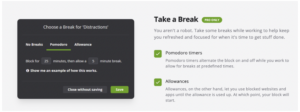
While others simply block a domain from being used, Cold Turkey has several features to allow you to develop healthy study habits like integrating the pomodoro technique into your life or giving yourself time allowances on sites to create healthier usage patterns.
Self Control is very similar to Cold Turkey, but it’s free and is the most hard core anti-distraction software I’ve seen on the market. Several anti-distraction softwares create barriers for you to disable the blocker. Like deleting the app, restarting your computer, etc. Self Control literally won’t let you use the apps that you’ve blocked until the timer has run out. Deleting the app, restarting the computer, literally nothing will stop it.

While Cold Turkey and Self Control are great resources to use for blocking distracting sites on your laptop, they are not the best when it comes to distractions that you may encounter on your phone, while you are working on your laptop. It’s easy for your phone to pull you away from the work on your computer for hours. These don’t provide a good solution for that problem.
Block Site and SPACE both use different methods to help the user restrict phone usage which reduces screen time.
Block Site is an app that helps the user block specific apps with ease. People can use Block Site to block their apps by categories (e.g. gaming, entertainment, education), block their apps within a set schedule, and also set a password to prevent opening those apps up. This app makes blocking other apps much easier and efficient due to the customization tools that are available.
SPACE is an app that acts as a tool to reduce screen time and phone usage. Users can sift through a number of different videos and tutorials on how to have a good phone/life balance and how to reduce usage. Additionally, users are able to track their screen usage on the app and compare it to their friends and family; they can even compare themselves to the average user on the app. The app can also help to identify what type of phone user someone is, which helps people identify things they could fix to reduce their screen time and enjoy a more balanced life.
Both Block Site and SPACE are great resources for both observing and reducing phone usage, but there are still downsides to both. Block Site has a lot of options, and at times it can be overwhelming and take too much effort to set up and activate. SPACE can also feel overwhelming, and seeing other peoples’ screen time can lead to stress and pressure to cut out certain things that don’t feel comfortable to reduce the time. Both apps have their potential downsides, yet the benefits of both outweigh them heavily and these two apps would be great tools to use.
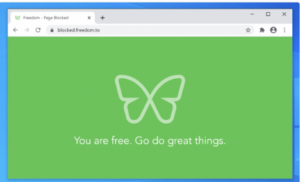
The Freedom app/ chrome extension works similarly to a lot of the apps mentioned above where it implements a very deliberate and forceful pause to the users distractions. These apps target users who need to concentrate on getting work done. Whether that is writing a manuscript, doing taxes, or even researching for a paper, college students, who are our target audience, would want to use these blockers to help increase focus to get things done.
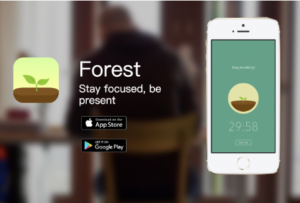
Forest on the other hand has a different approach. Rather than a full all on block on distractions, you can set a pomodoro timer to work and during that time, a tree grows (the type tree can be selected by the user). The trees will all gather in your app to grow a forest. However, the plot twist is if you leave the Forest app, the tree dies and that dead tree also remains in your forest (you can remove it using in app currency). But this incentive or manipulation is used to hopefully play with the moral conscience of the user to stay on the app and keep working! On top of it, the rewards of cute graphics and UI gives users more an incentive to stick with the app. They even plant trees in the paid version.

RescueTime is unique in that it goes through your schedule to find larger chunks of time for “Focused” work. This would work well for people who like to work in such focused chunks or whose work requires them to work in focused chunks. For example, if someone has a big exam they need to make time to study for consistently, or is working on a creative venture that requires them to actively think for a few hours rather than something they can do as they multitask. It does not incentivize people for staying focused during that time or help the user to avoid distractions during that time in any way. Therefore, this app is helpful for helping users find time in their schedules for focused work but does not help users who are prone to getting distracted from getting distracted.
RescueTime is not available as an app, so it is best used by people who spend a lot of time at their computer (remote/office employees), rather than people who may often be on the go (students). The focused time chunks may also be gratuitous given that the average user may be able to pull out open chunks in their schedule themselves and are unlikely to install a browser extension to do the same for them.

Flipd tracks user time on tasks and breaks. It has a community feature wherein a user can “study with” or “work with” other users in either public (open to all users) or private (open to all users who are your friends) virtual study rooms. Connecting with other users allows one to engage in healthy competition with your friends/all users to keep yourself motivated to avoid distractions. Also, the app offers free lofi music as a plus. Compared to apps such as Freedom, Block Site, and SPACE, the app does not offer features to block/limit phone usage. This app is more similar to Forest in that it uses positive reinforcement to incentivize the user to not get distracted. Whereas in Forest, the user is incentivized with a more tangible “tree” that they can add to their “forest”, in Flipd the user is incentivized by comparing their study time against their friends (or others’) study time.
Finally, in order to use all timing features for breaks and study sessions, users will need to buy the paid version at $5.99/month or $42.99/year. The free version only allows for one break and 40 minute study session timer, which does not help the average user looking to avoid distractions. Comparatively, Forest is cheaper at $1.99/month.
Analysis contributed by: Anjali, Dorien, Ji Hong, Karson

Comments
Comments are closed.