
Getting a Grip: Breaking Free From Endless Scrolling on Social Media
Get off your phone (after you read this)!
Our team has decided to focus on the pervasive and all-too-relatable habit of getting lost in an endless pit of videos that you scroll through on social media apps, whether it be TikTok, Instagram Reels, or YouTube Shorts. Having had personal experience spending large amounts of time mindlessly scrolling through online videos, we want to better understand the underlying drivers and motivators that contribute to the seemingly inescapable pattern of swiping up. In addition to conducting a literature review about the psychological factors affecting social media addiction, we also surveyed the market to find other solutions targeting individuals who desire to reduce the time spent scrolling their lives away.
Market Overview
We’ve highlighted 10 tools that are currently being used to help users lower their screen time through various strategies, mediums, and interfaces. Below we walk through each solution, including a description, the target audience, as well as both strengths and weaknesses.
OffScreen: Screen Time Control

Description
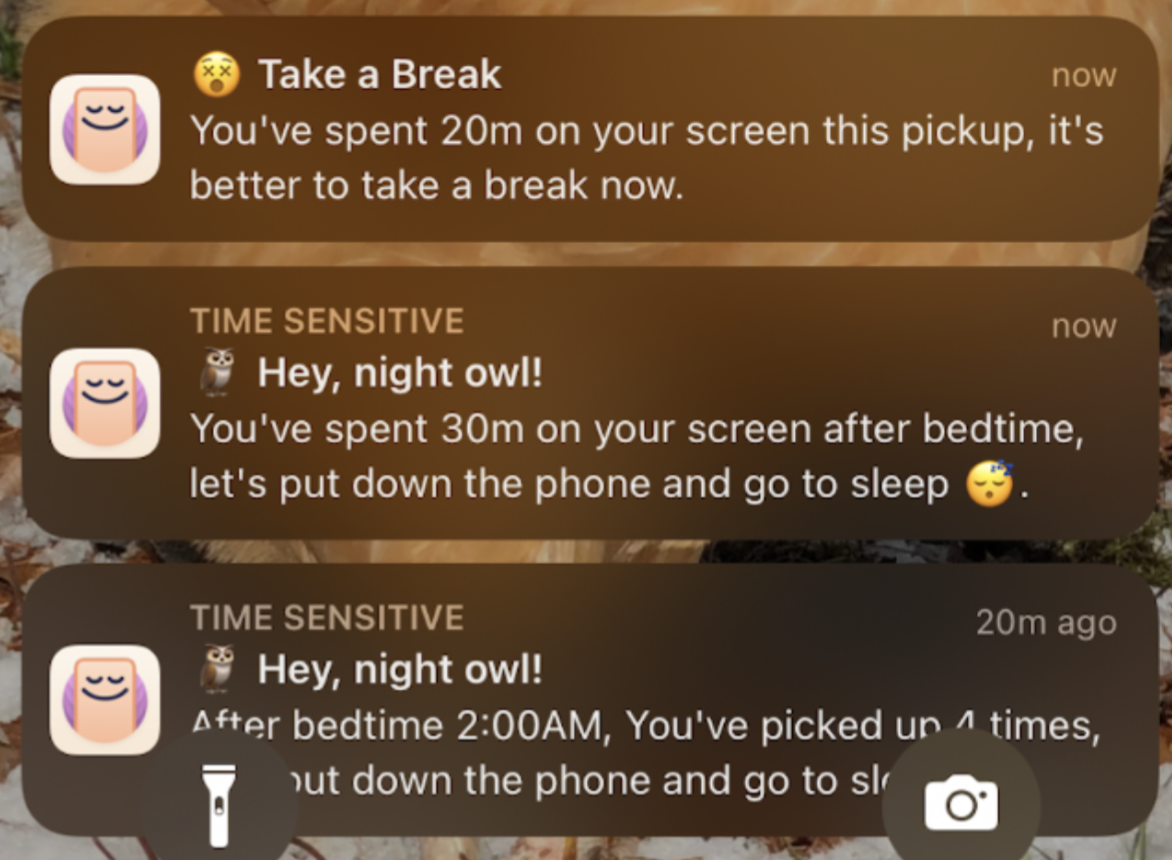
OffScreen is a mobile application that extensively tracks and displays a person’s phone usage in order to help them stay focused. Upon downloading the app, the user can immediately decide how much information they want to put into the app, such as their daily screen time goal, their bedtime goal, their number of “pickups” goal, etc. Even if the user doesn’t input any goals, they will still be notified of their phone usage throughout the day.
Target User
People that want to 1) be more aware of their phone usage, and 2) people that want to use their phone less.
Strengths
- Seeing the number of “pickups” — literally any time you picked up your phone / tapped the home screen, even if it was to just check the time.
- Getting notified whenever you spend 20 consecutive minutes on your phone after any given pickup, alongside a gentle reminder to take a break.
- Getting notified whenever you spend any substantial amount of time (20 minutes, 30 minutes, etc.) on your phone after your set bedtime.
- Getting notified when you are approaching your daily screen time, when you surpass it, and by how much you’ve surpassed your daily screen time goal throughout the day.
Weaknesses
- App can’t properly track anything if you don’t keep it running in the background; likely ineffective for people who tend to un-multitask.
- Easily ignorable!
Freedom
Description
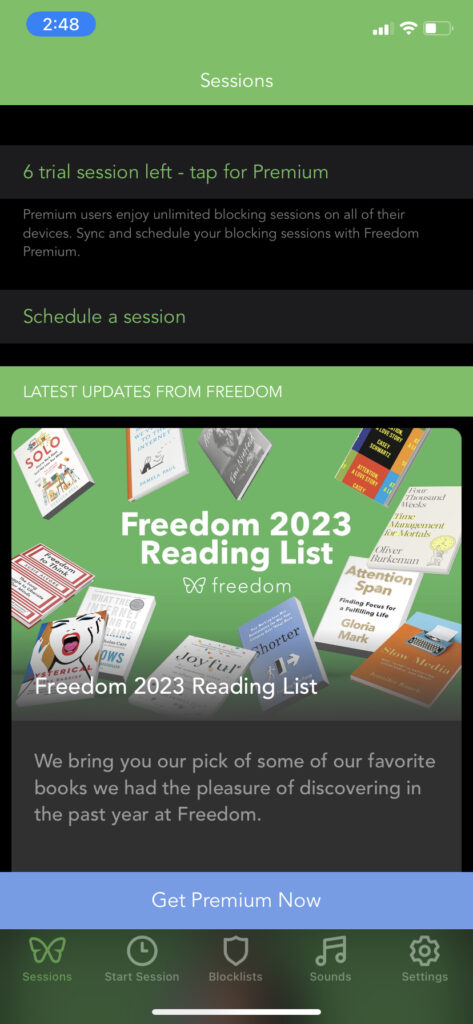
Freedom is a mobile application that enables a user to temporarily block apps and websites across all their devices and schedule focus sessions. Upon downloading the app, the user is immediately prompted to choose a purchase plan (including a 7 session free trial). One session consists of however long a user would like to focus or have specific apps/websites blocked.
Target User
Anyone looking to effectively block apps or websites across all of their devices; anyone easily distracted by any electronic device.
Strengths
- Blocks distractions across all devices (phone, tablet, computer)
- No limit to number of devices that you can block apps on
- Has “focus sounds” for the user to play as focus-inducing background music; motivates the user to open and use the app
Weaknesses
- Not free; a premium service
- Very poor and inviting UI — a lot of clutter that makes me feel much less inclined to actually open and use the app.
OneSec
Description
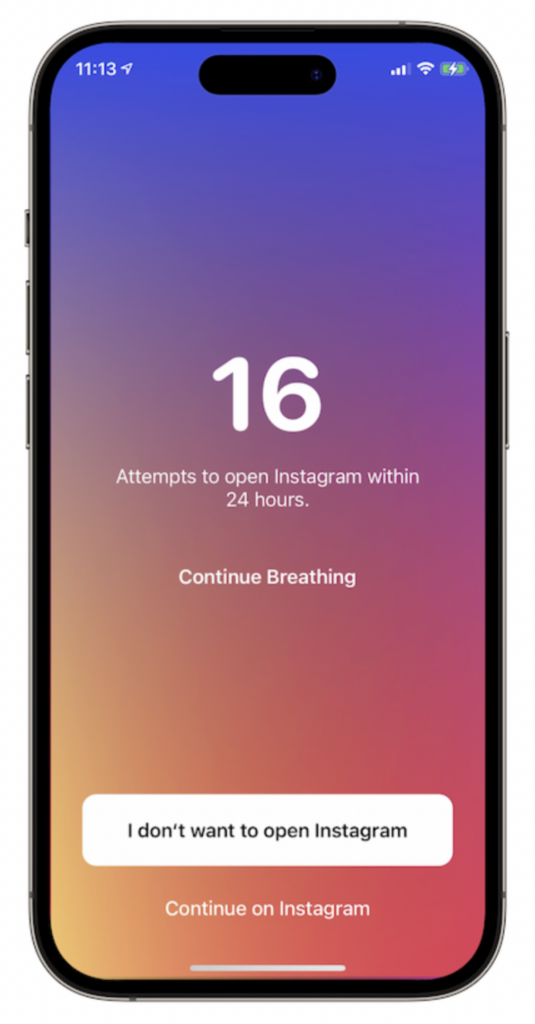
OneSec is a mobile application that is paired with social media apps and set up utilizing customized Shortcuts. Once set up, a click on a social media app will route the user to OneSec which will then prompt the user to take a deep breath and be more mindful before opening up the app and beginning to scroll. Following the initial prompt to breath is a display (as seen to the right) that shows how many times the user has attempted to open up the app that day followed by two options: “I don’t want to open the app” (this option is highlighted of course) and “I want to continue to the app”.
Target User
This app targets users who want to cut down their usage of a specific app(s).
Strengths
- Encouraging mindfulness of the user in regards to their social media usage
- Establishing a habit of breathing before going on social media
- Making it annoying to start a scrolling session by adding friction (through time)
Weaknesses
- Very easy to bypass and use the social media app as intended
- More involved setup that takes time and some tech savviness
AppBlock
Description
AppBlock is an application that allows you to set up locks on specific apps. Once the lock is set, every attempt to open the specific app will fail until the user explicitly removes the block. AppBlock also keeps track of how many times the user has attempted to open the app for the day and shows that to the user. The free version only allows for binary blocks (either it’s off or on and the user has to flip the switch) whereas the premium version allows for blocks to be set up using a timer as well as different modes.
Target User
Users who struggle with overusing a specific app or not being able to self-regulate time spent on specific apps
Strengths
- Simple to set up
- Block is clear reminder to user that they are not supposed to be on the app
- Easy to turn on and off (good for people who just need it off for a specific time)
Weaknesses
- Very easy to just turn off (not great for people who struggle with overuse in general)
- Binary (either on or off, requires willpower of user which is already weak)
Randomly RemindMe
Description
Completely customizable app for reminders. Feels like every other competitor reminder app, but the endless customizability is the defining feature. Also has a randomness component that other apps do not. A reminder at the same time every day can build habits based on time, but also has the potential effect of becoming a background stimulus that has no effect on the user. This is countered by randomness.
Target User
Anyone who needs to remember things. Appeals to users who enjoy the freedom to customize their phones for specific needs
Strengths
- Super customizable
- Randomness in alarms
- Can literally change anything about the reminder:
- when it goes off
- how it notifies you
- what is said in the notification
Weaknesses
- Too customizable!
- I think users wouldn’t have the patience to set up all of their reminders
- A better product is a narrower product that does the work for a specific user base
Awareness

Description
App/extension for computers that tracks how long you’ve been active and prompts you to get up and do something else – breaks up screen time. The app does not lock computer functionality, simply plays a ding if it senses you’ve been on your computer for an extended period of time. Additionally, it automatically senses when you’ve taken your break and returned to work.
Target User
Likely students, people in tech. Anyone who is on their computer screen too much.
Strengths
- Non-invasive (appears as a timer in your menu bar)
- Audio feedback – plays a nice ding sound to remind you to get up
- Never “nags” you to leave the computer
- Will not lock functionality
Weaknesses
- Only a computer plug-in (more people would benefit from this being an app)
- Easy to bypass when on the computer by dismissing the timer or muting your sound
Oura

Description
Oura is a health app linked to a smart ring that tracks sleep, recovery, and activity. Although it isn’t a direct competitor, as a user of the app, it has many good mechanisms especially for prompting behavior. For example, when the user has been inactive for too long, the app prompts the user to stand up which tends to align with their set goals. This method of getting people to not be as sedentary or move at the health app’s prompting is something that we may want to explore in finding solutions.
Target User
Users who want to promote improvements in their life, especially in regards to health, recovery, sleep, and activity.
Strengths
- Extremely tailored to the individual
- Subtle prompts work because they are “good for you”
- Daily “scores” and reports from your data are extremely informative
Weaknesses
- Requires hardware purchase
- Monthly subscription required for premium service
- Can be ignored
- Fairly passive in requests
Opal
Description
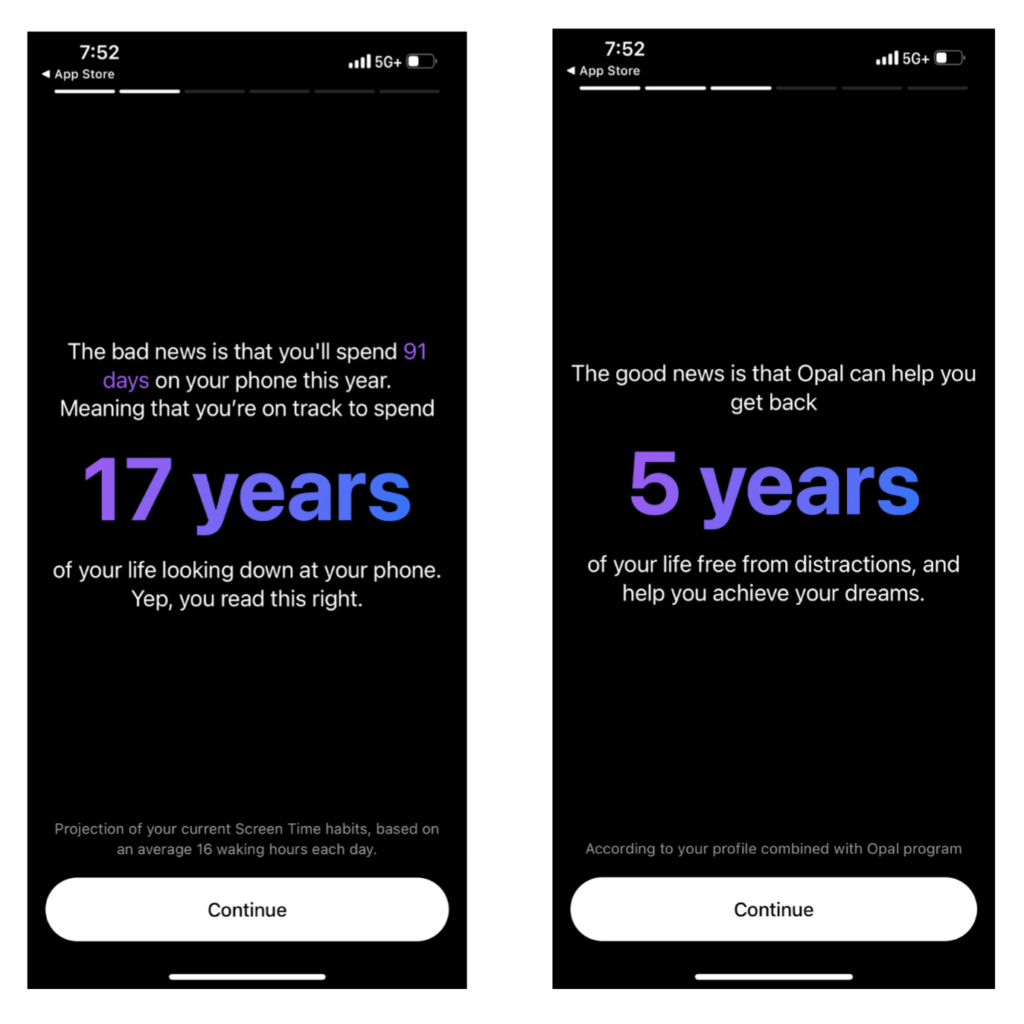
Opal is an application that is geared towards helping users focus and become more productive by removing phone-related distractions. They emphasize benefits of less distraction, higher productivity, improved mental health, and time saving. It is a paid application that works closely with the iPhone processes and uses many different mechanisms including leaderboards, rewards/milestones, focus reports, customizable backgrounds, and more to push their users to be more focused with their time.
Target User
Users who really care about their productivity and screen time who are willing to pay money ($99.99/year) to decrease/regulate their screen time.
Strengths
- Attracts serious users
- Connects with apple screen time and notifications software
- 1 week free trial
- Very customizable (make limits skippable or unskippable)
- Creates friction for unblocking
- Good UI
- Scares people with the introduction and then sells them on a solution
Weaknesses
- Hard to access free version (not available on app – must go to website to access)
- Technical problems at times
ActuFlow 3.0
Description
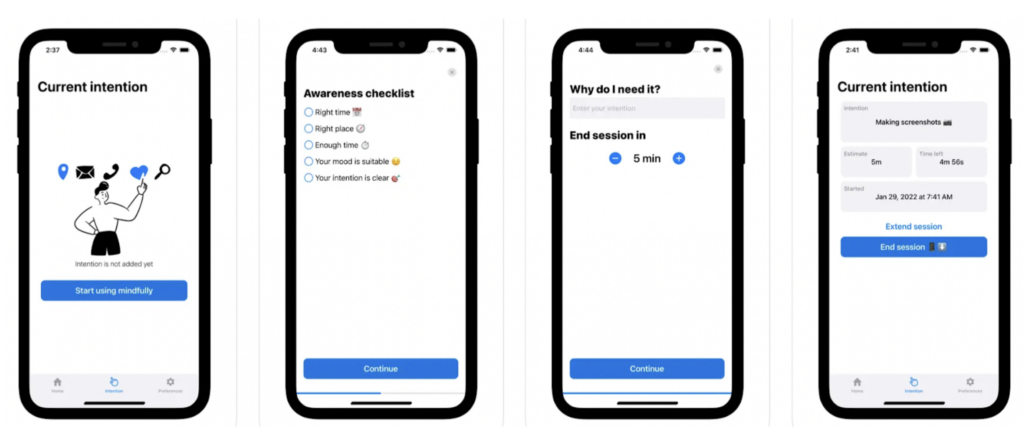
Actuflow is an application that emphasizes on helping users to be more intentional with their device usage. The journaling functionality before going on an app or phone allows users to be mindful of their digital usage. Without a written intention users are unable to enter the designated application.
Target User
- Individuals who struggle focusing on tasks
- People who are tired of endless distraction cycles on social media
- Individuals who find blocking and tracking apps to work only temporary
- People who have a procrastination habit or feel guilt after using the phone
Strengths
- Passive approach by triggering users to be more aware of their phone usage without limiting functionalities of the phone/app.
- Reflect functionality allows for the users to gain a thorough understanding of their digital usage.
Weaknesses
- Onboarding process is very complicated (requires use of 3rd party application, namely Shortcuts)
- Entering in the intention before using apps can become automated. This is a context-based prompt and can be repetitive to a point where the data becomes meaningless.
LessPhone
Description
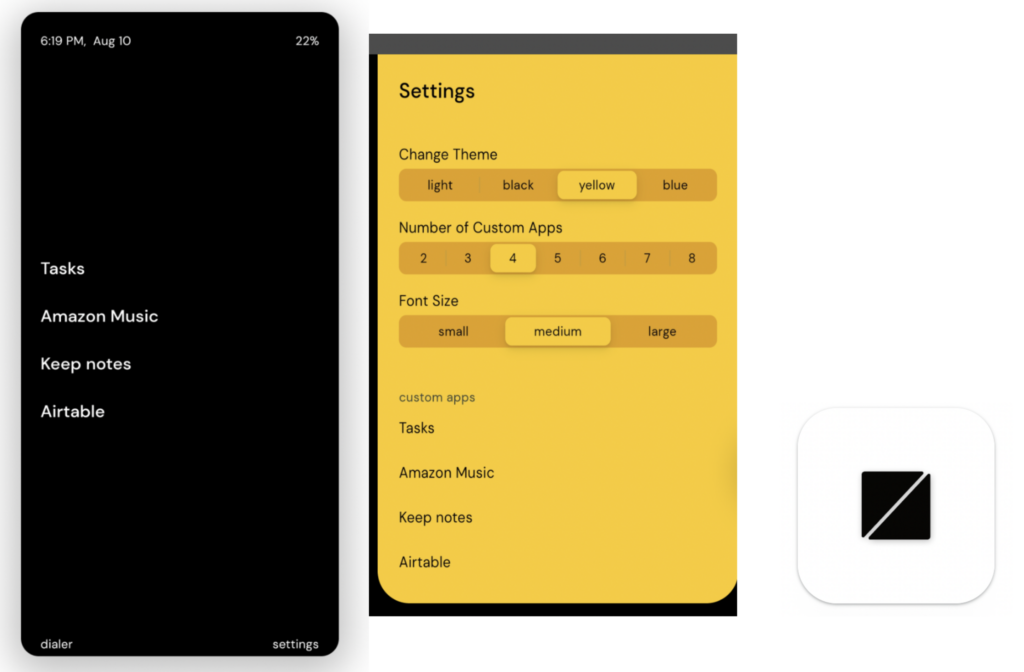
LessPhone is an android application that limits the phone UI to three fundamental functionalities: task, call, directions. The user is required to enter a lock time on their phone to initiate the UI change. This app offers a unique perspective to preventing phone addiction by changing the entire interface. Users can customize the app to add certain custom applications to the main screen.
Target User
Users who have the motivation to block out entire phone usage.
Strengths
- Substitute for temporarily changing to a flip phone
- Minimalistic design makes the UI attractive
- Retaining key functionality without making the phone obsolete e.g. Timer lock application.
- No way to quit the program without the timer running out. Keeps users committed.
- Can add custom applications on the phone screen to reduce frustration.
Weaknesses
- Requires users to enter the duration of functionality, this repetitive data entry may cause friction and become tiresome.
- There is no way to quit the UI until the timer runs out. Which may lead to frustration from some users.
Synthesize and Visualize (cuz everyone loves a good visual!)
In order to visualize the landscape of applications, we created a comparative analysis matrix along two axes with the x-axis capturing ease of use for the end user running from high difficulty to low difficulty and the y-axis representing effectiveness of changing behavior from high intervention to low intervention.
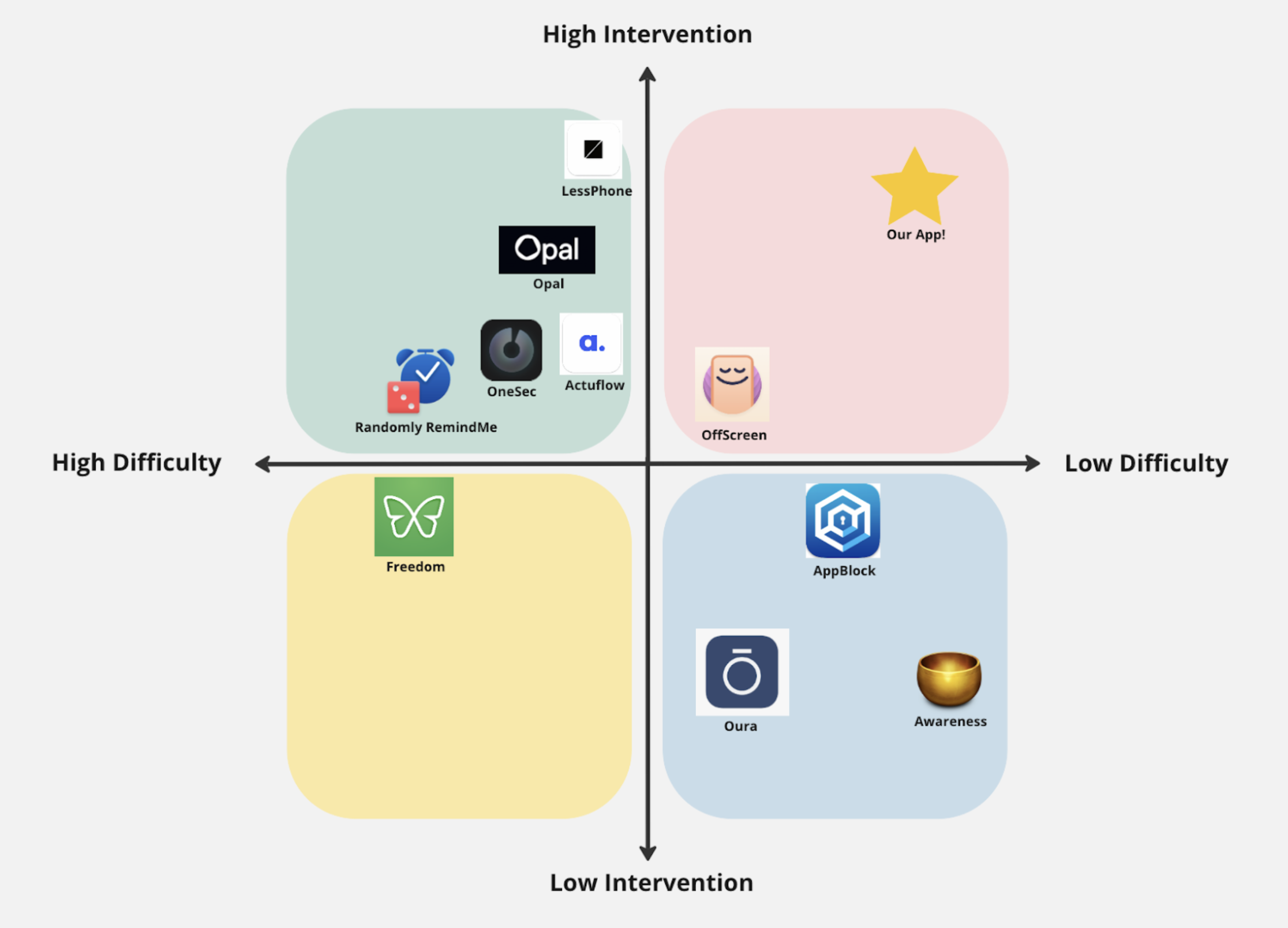
From the matrix, we see a clustering in the upper left quadrant (effective for behavior change but higher barrier for use) and the lower right quadrant (ineffective for behavior change but easier to use). Many of the existing tools are either effective but lack ease of use or are very simple to begin using but lack impact on the end user. Developing new behaviors or breaking old habits is challenging, so we think it intuitively makes sense that existing tools fall in the two quadrants specified above.
Our goal is to break the mold and create an app that is both low difficulty in regards to use as well as high intervention so as to empower individuals to break out of the cycle of endless scrolling.



