Storymap for Overload Octavia (User Persona):

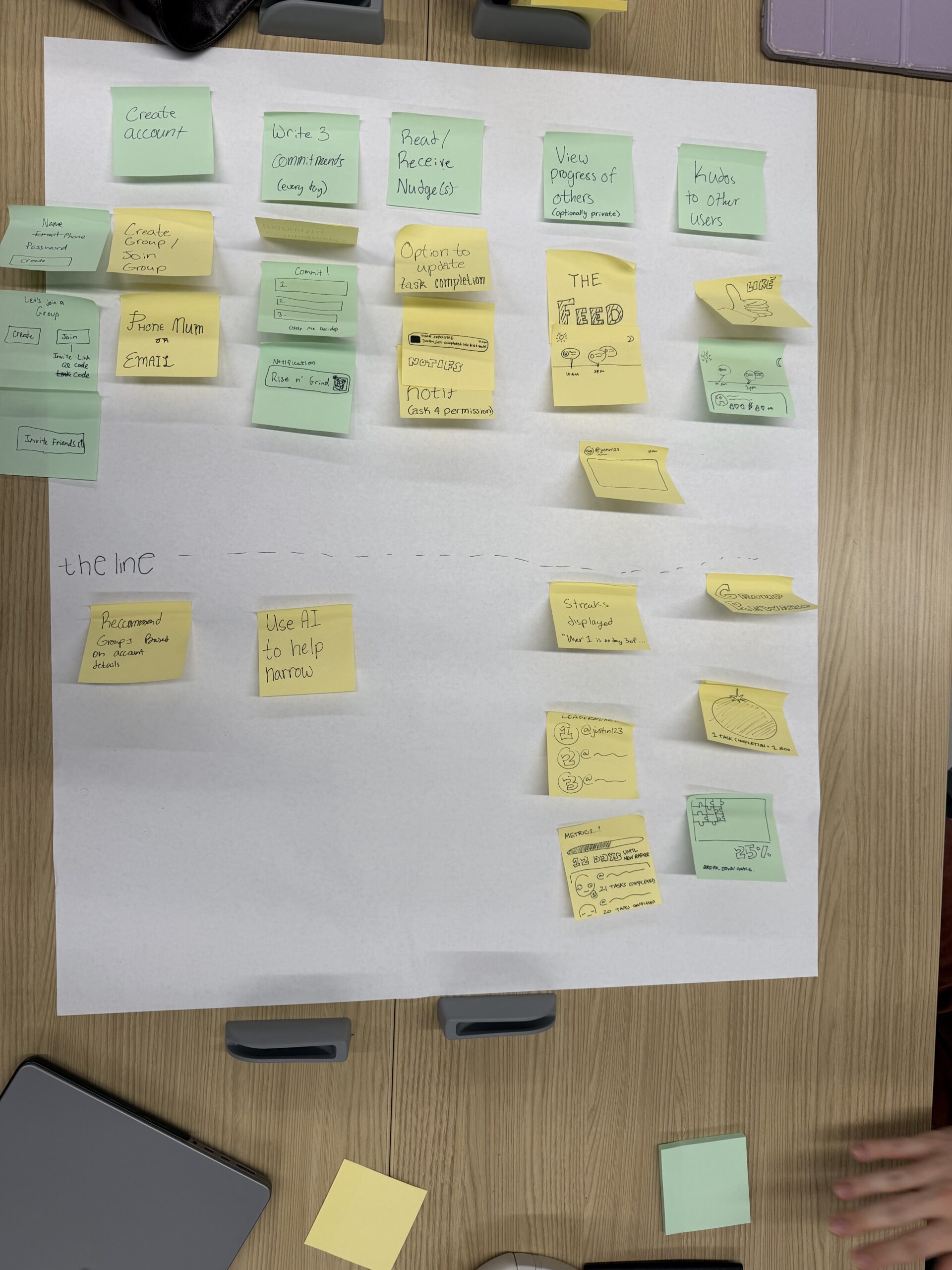
Storymap
Social Accountability Planning App
Core User Journey
These are the core steps of the user experience:
- Create account
- Create group / Join group
- Write 3 commitments (every day)
- Read / Receive nudges
- View progress of others (optionally private)
- Give kudos to other users
Step 1: Create Account
Supporting features:
- Enter name, email/phone, password
- Create account button
- Join existing group or create new group
- Invite friends (via link/code)
User goal: Get onboarded and connected socially
Step 2: Create or Join Group
Supporting features:
- Join group using code
- Create group manually
- Invite friends
- Add contacts via:
- Phone number
Purpose: Establish social accountability network.
Step 3: Write 3 Commitments (Core Action)
Supporting features:
- Input 3 daily commitments
- Simple, low friction entry
- Commitments displayed clearly
- Daily repetition
Additional support:
- Notification reminders
(“Rise n Grind” notification)
Purpose: Create visible, intentional commitments.
Step 4: Read / Receive Nudges
Supporting features:
- Notifications throughout day
- Nudges reminding users of commitments
- Option to update task completion status
- Midday and evening reminders
Purpose: Bring user back to commitments.
Step 5: View Progress of Others
Supporting features:
- Feed showing group members’ commitments
- Progress visibility (optional privacy settings)
- Progress indicators
- Metrics tracking:
- % completion
- Tasks completed
- Streaks
Purpose: Leverage social norms and accountability.
Step 6: Give Kudos to Others
Supporting features:
- Like / thumbs up reactions
- Encouragement signals
- Social reinforcement
Purpose: Positive feedback loop.